We're here for you

phone Call us
866-777-7550 Open 24 hours/day, 7 days/week
email Email us
Send a note

Or find the answers for yourself in our Help Center.

Frequently Asked Questions

  • Basics
  • Fiberhoods
  • Plans
  • Sign Up
  • Installation
  • Account & Billing
  • Policies
  • Apartments (MDU)

For Landlords
Do you own and rent out a residential property? (Apartments, condos, single-family home, townhomes) We’ve got a page just for you with more information.

For Tenants
Are you a tenant who rents an apartment, condo, single-family home, or townhome?

    • + What is Google Fiber offering?

      Google Fiber is offering an Internet connection speed 100 times faster than today's average broadband, paired with crystal clear high definition TV.

    • + What is a gigabit?

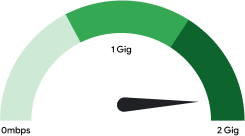
      One gigabit per second (Gbps) is a 1000 megabits per second (Mbps) connection. A gigabit is 100 times faster than the Internet connection that most Americans have today, allowing you to get what you want instantaneously. You no longer have to wait on things buffering; it’ll be all ready to go when you are. So whether you are video chatting, uploading family videos, or playing your favorite online games, all you need to do is click and you’re there.

    • + Why do I need a gigabit? How will I notice the difference?

      Gigabit Internet makes everything you already do online up to 100x faster. No more waiting to buffer videos or upload photos.

      But gigabit Internet will also revolutionize the web in new ways. Imagine chatting with your doctors or teachers via HD video conference, or collaborating on a work or school project with contributors across the globe in real time, without delays. Imagine new online billing applications that don't freeze. Imagine automatically saving all of your work to the cloud in a blink of an eye—and never having to worry about losing files to a computer crash again.

      A gigabit is the Internet experience of the future. And it starts in Kansas City.

    • + Why did Google ask the community to pre-register before building the network?

      When we were initially deciding where to build our Google Fiber project, we did something very simple–we asked communities who wanted Fiber to apply. In just a few weeks, we received applications from over 1,100 communities and 200,000 individuals. Kansas City clearly stood out during that process, and we’re excited to be here.

      So, we thought we'd take this one step further. We asked Kansas City to decide where we should build.

      From July 26th to September 9th, we held our pre-registration phase and encouraged everyone who wanted Google Fiber to pre-register. Over half of Kansas City fiberhoods qualified for service, and we’re working to build out our network to all of those areas now.

    • + What is a fiberhood?

      A fiberhood is a portion of Kansas City, KS or Kansas City, MO that includes about 250-1,500 households. We determined fiberhood boundaries based on a number of factors. First, we worked with the Kansas City governments and community leaders to learn about pre-existing neighborhoods or communities. Then, we looked at those communities and determined very clear boundaries at their edges like streets and parks.

    • + How do I get Fiber service for my home?

      We're building our Google Fiber network by demand—fiberhoods that met their pre-registration goal will get Fiber service. Here’s how it works:

      Pre-registration period
      • From July 26th through September 9th, Kansas Citians in Kansas City, Kan. and Central Kansas City, Mo. pre-registered to indicate they were interested in bringing Google Fiber to their home. We’ll hold a second pre-registration in the future to include the rest of Kansas City, Mo.
      • Each fiberhood needed to reach its pre-registration goal in order to qualify for Fiber.
      • The order of construction within each city is determined by pre-registration rankings on September 9th. The build order is posted on our website.

      Choose a plan
      • Starting September 13th, you'll be able to choose the service plan that you want. Anyone in a qualified fiberhood will be able to sign up and choose a Fiber plan, regardless of whether they pre-registered or not.
      • To get service, you must choose your plan before construction begins in your fiberhood.

      Schedule
      • Once we're ready to connect you, we'll get in touch and schedule a time to build Fiber to your home.
      • We’re working hard to install users as quickly as possible. We expect to connect everyone who has signed up for a Fiber plan no later than the end of 2013.

      Enjoy Fiber
      • A Google Fiber team member will come to your house to build Fiber to your home and install your equipment.
      • Enjoy your new Google Fiber connection!

    • + What is the fiberhood pre-registration goal and how did you decide the goals?

      The pre-registration goal is the percentage of homes in your fiberhood that needed to pre-register for your fiberhood to qualify for service. Since fiberhoods vary in ease of construction, the number of pre-registrations required per fiberhood varied from 5% of homes to 25% of homes.

      Like many of our projects at Google, we relied on data to decide the fiberhood pre-registration goals. All fiberhoods are different. They range in size and density as well as speed and ease of Fiber construction. For example, houses that are spread out (like in the suburbs) require more time, fiber and labor, and therefore are more difficult to connect than homes in a dense urban environment. So, in those fiberhoods that are more complicated to build, we wanted to make sure that enough residents want Fiber service.

      Taking that into account, we determined fiberhood pre-registration goals by grouping fiberhoods into three tiers:
      • Fiberhoods that have a 5% goal. Typically, these areas will be easy to build and install.
      • Fiberhoods that have a 10% goal. Typically, these areas will be more complicated to build and install.
      • Fiberhoods that have a 25% goal. Typically, these areas will be the most complicated to build and install.

    • + I live in North or South Kansas City, MO. When will I be able to get Fiber?

      We are committed to serving homes in North and South Kansas City, MO and you will be able to pre-register for Fiber in our next rally and construction phase. Stay tuned for more information on google.com/fiber

    • + What is the Fiber Space?

      The Fiber Space is our storefront in Kansas City where you can come to experience what a gigabit is like, ask us questions about Fiber or sign up for service. We also host fun events and workshops to demonstrate the benefits of ultra fast Internet. Look out for updates on our events calendar or just come visit us at 43rd and Stateline. Click here for a list of events, or just come visit us at 43rd and Stateline Rd.

    • + Does Google Fiber have a business product?

      We are currently focused on our Fiber-to-the-home network, which is for residential consumers. For businesses located in qualified fiberhoods, we plan to introduce a small business offering shortly—stay tuned to google.com/fiber for more details.

    • + Can I call Google Fiber to get help?

      Absolutely! Please email, call or chat with us online if you have questions. We are available 24 hours a day, 7 days a week.

    • + Will there be a local location for customer support?

      We'll be able to answer most of your questions via email, phone or online chat. If you would like to talk with someone in person, we would love for you to visit the Fiber Space at 1814 Westport Rd, Kansas City, MO and speak to our Google Fiber team members.

    • + How does the fiberhood ranking work?

      The fiberhood rankings were determined by the percentage of homes in each fiberhood that pre-registered for service. Since our network is build-by-demand, we’ll build to the fiberhoods with the highest rankings first, and continue building to fiberhoods in rank order. For example, Hanover Heights and Crown Center fiberhoods pre-registered the highest percentage of homes in KCK and KCMO, respectively. Therefore, these fiberhoods achieved a higher ranking, and will be the first to get Fiber in each city.

      You can check your fiberhood's ranking at fiber.google.com/cities. You can sort fiberhoods by their pre-registration ranking by using the "Sort By" menu at the top of the fiberhood listing, and choosing "ranking."

    • + How do I know if my fiberhood is qualified?

      If you’ve pre-registered for service, we’ll send you an email once your fiberhood qualifies. If you didn’t pre-register for service, you can confirm your fiberhood’s status at fiber.google.com/cities.

    • + My fiberhood qualified for Fiber! What happens next?

      Great! The first thing you’ll be able to do is see the final order in which fiberhoods will get service. Visit fiber.google.com/cities to check your fiberhood’s ranking. Starting on September 13th, you’ll be able to sign up and choose your Google Fiber plan, including your Internet plan, video packages and devices. You can choose your plan any time between September 13th and when we begin construction in your fiberhood.

      Once it’s almost time to bring you Fiber service, we’ll make two visits to your house. First, we’ll bring your fiber connection from the street up to your home. After that, we’ll contact you to schedule your installation. Finally, we’ll send a Google Fiber team member to your house to build your Fiber connection. If you have any questions along the way, we're always here to help.

    • + Will I be able to get Google Fiber if I didn’t pre-register but my fiberhood qualified?

      Yes you can. Just go to fiber.google.com, and begin the process to choose your plan. You will need to submit your address, your Google account information and a $10 sign up fee (which will be applied to your first month’s bill). Make sure you choose your plan before construction begins in your fiberhood—otherwise you won’t be able to get service.

    • + My address is not found on your website. What should I do?

      Please double check to make sure you’ve entered the right street name, apartment number and zipcode. If you still cannot find it you can submit a request to have your address reviewed by our team through the website or else give us a call at (866) 777-7550.

    • + My fiberhood did not meet its goal. What now? Will you come back another time?

      Thanks for your interest in Fiber. We will be able to include you in a future rally, but for now we can’t commit to building in your fiberhood. If you pre-registered for service you’ll receive a refund of your $10 pre-registration fee within ten days of when we publish the final list of qualified fiberhoods.

    • + My fiberhood did not qualify: how long until I receive a refund for my pre-registration fee?

      If your fiberhood does not qualify, your $10 pre-registration fee will automatically be refunded within 10 days. We will refund the $10 to the card that you used when you pre-registered.

    • + Why is Kansas City, Mo being built after Kansas City, KS, regardless of overall fiberhood rankings?

      We announced that Google Fiber would be coming to Kansas City, KS first, which gave us a head start on our work there. We'll begin building Fiber to homes in Kansas City, KS first, but we plan to have service to fiberhoods in Kansas City, MO in early 2013.

    • + How was the construction schedule set? How can I know when my fiberhood will get fiber?

      The fiberhoods who wanted Google Fiber most—and demonstrated that by pre-registering the highest percentage of homes—achieved a higher fiberhood ranking, and therefore will get Fiber sooner.

      For an approximate schedule of construction timing, click here. It's impossible to provide exact construction timing schedules because there are multiple factors (including weather) that we can’t control, but we plan to be as transparent as possible if our estimates change, and we’ll post any new information on our website.

    • + Can I get Google Fiber TV without Gigabit Internet?

      No. Google Fiber TV service is only sold with our Gigabit Internet offering.

    • + Can I keep my existing TV service?

      Google Fiber TV is a new and exciting experience. It allows you to find and watch video from many different sources, including live programming, DVR recordings, video on demand, online streaming and personal content—all in crystal clear high definition. We think it’s pretty great and we’d love for you to check it out. But if you want to keep your current TV plan and still get Google Fiber, you can. Just choose the Gigabit Internet plan or the Free Internet plan.

    • + Do you offer a telephone service?

      We do not have a specific voice offering. However, our broadband service allows you to take advantage of numerous voice services (VOIP) that operate across broadband connections. Google Voice is just one example of the types of services that you can use for calling with our broadband service.

    • + Will I be able to use WiFi with Google Fiber?

      Yes. Both our Network Box and our TV Box include advanced WiFi, designed to give you access to Google Fiber throughout your home.

    • + Will my Wi-Fi connection be as fast as a wired connection?

      No. Wi-Fi is slower than wired connections. However, the WiFi technology in our Google Fiber Network Box will provide for great connectivity.

    • + Do I need to buy a new computer to take full advantage of the gigabit Internet?

      In order to take advantage of gigabit speeds, you'll need a computer or laptop that supports a gigabit (in geek terms, this means having a 1Gbps 1000BaseT network interface card). Most recently-produced computers and laptops already support gigabit speeds. But if you're not sure if your computer or laptop does, consult your computer documentation and look for the following terms: 1000baseTx or 1000Mbps or 1Gbps or GigE.

    • + Are there any data caps on my internet connection?

      No way! We want you to use and enjoy your broadband or gigabit connections. There are no caps or limits to the amount of data you can send or receive.

    • + What is different about the Google Fiber TV service from my current TV subscription?

      Often, users watch video from many different sources: live channels, DVR recordings, video on demand, online streaming and personal content. Google Fiber TV lets you easily watch, search and discover content from all of these places. Combined with a robust channel package and crystal clear high definition, Google Fiber TV is a new and exciting experience.

    • + What channels are available?

      You can see our entire channel lineup on our website. In addition to the channels that come with Google Fiber TV, we also have a few add-on packages such as Starz, Showtime, NFL RedZone and a Hispanic Programming Package. We are adding more channels all the time. If you don’t see your favorite channel, click here to let us know!

    • + How much will the TV boxes cost?

      Your first TV box—plus the Nexus 7 Tablet—are included for free in the Gigabit + TV package with your paid subscription for 2 years. For those of you who want Google Fiber on multiple televisions in your home, you can add extra TV Boxes for $5 each/month for 24 months. You also have the option to purchase TV boxes upfront for $120/ea. Extra boxes include a standard remote control but not a tablet.

    • + What is the maximum number of TVs I can connect?

      Currently we support up to 4 TV Boxes.

    • + What add-on content options do I have? How much will they cost?

      Please see the plans & pricing overview for the full channel lineup and details on add-on content options. Currently, we are offering the following add-ons: Starz ($10/mo), Showtime ($10/mo), Hispanic Programming Package ($5/mo) and NFL RedZone ($40/season, pro-rated for any partial season and payable in $10/mo installments from September - December).

    • + Will Google Fiber have Video On Demand and other paid video content?

      Yes. Google Fiber will offer a wide range of Video on Demand content from a variety of sources.

    • + Will Google Fiber work with my existing TV or other devices?

      Google Fiber was built to support leading industry standards and should work with devices you have today. If you experience a problem, just let us know.

    • + What is the local broadcast channel option?

      A local broadcast channel option is available in a limited offering at a reduced price (subtract $30 per month from Gigabit + TV package). It includes the channels listed in Local section of the channels list, plus C-SPAN, C-SPAN 2, C-SPAN 3, NASA, QVC and WGN America (note: not all add-on video packages are available with this option). To request this option or obtain additional information, please contact customer support.

    • + What is Google Drive? How do I use it? What is a terabyte?

      Google Drive lets you store and access your files anywhere -- on the web, on your hard drive, or on the go. And, with Google Fiber you get a terabyte of storage! (That’s a whole lot.) Now your files go everywhere you do. Change a file on the web, on your computer, or on your mobile device and it updates on every device where you’ve installed Google Drive. Share, collaborate, or work alone: your files, your choice. To learn more, visit https://drive.google.com/start

    • + What are 3D channels?

      We are excited to let you know that we offer 3D channels. Learn more about 3D channels.

    • + How and when do I choose a Google Fiber service plan?

      If your fiberhood met its pre-registration goal, you can choose your service plan now at fiber.google.com. First, choose your plan—Gigabit, Gigabit+TV or Free Internet. If you want any additional TV packages (Starz, Showtime, Hispanic, NFL RedZone) or TV Boxes, you’ll also choose those when you sign up as well.

    • + Will I be able to change my service package at any time?

      You won't start paying for service until Google Fiber is built to your home, and you can change your mind or change your service plan anytime before installation begins in your fiberhood. After installation begins in your fiberhood, you can upgrade your service plan at any time, but if you switch prior to your contract term, there will be associated fees. Please review the subscriber agreement for all the details.

    • + When can I start choosing my plan? When is the last day that I can choose a plan?

      If your fiberhood is qualified, you can choose your plan now at fiber.google.com. You’ll be able to choose or change your plan until Fiber construction begins in your fiberhood—we’ll notify you via email before this happens.

    • + I pre-registered, but I no longer want to sign-up. Can I get a refund for my $10 fee?

      The final day to cancel your pre-registration and get a refund was September 9th. The $10 pre-registration fee is not refundable if your fiberhood qualified but you’re opting not to choose a Fiber plan. If you change your mind now, you don’t have to get Fiber service but we won’t issue a refund for your $10.

    • + I’ve already chosen a plan, but I’d like to change the plan I selected. How do I do that?

      No problem. Just go back to fiber.google.com, sign in again, and choose a different plan.

    • + How do I cancel Google Fiber service?

      To cancel Google Fiber, please contact customer support by email, chat or phone.

    • + How long do I have during the sign-up period to cancel if I change my mind?

      During the choose your plan window, you can change your mind or decide to cancel service at any point. The last day to decide you don’t want service at all is the day before construction starts in your fiberhood. We will remind you with an email when that date approaches, so you can make sure you’ve chosen the plan you’d like!

    • + I really want Google Fiber, but I am currently in another contract. What should I do?

      In order to get Fiber, you’ll need to choose a plan before we start connecting your fiberhood. This is important: if you don’t choose your plan now, we cannot commit to coming back to your fiberhood and hooking up your house in the future.

      If you don’t want to cancel your existing contract right now but you still want Google Fiber, we recommend that you sign up for our Free Internet plan. You’ll be able to pay $25/month for a year (or a $300 lump sum), which will cover the construction cost of your fiber-to-the-home drop. This will future-proof your home for when you’re ready to upgrade your service, which you can do at any time.

    • + What happens if I miss the deadline to sign up in my fiberhood?

      We’re currently focused on installing all customers who chose their plan before the deadline, and we can’t commit to returning to fiberhoods at this time. If you recently moved in or missed the signup deadline for your fiberhood, please sign up for email notifications on www.google.com/fiber so we can keep you informed on future developments in your fiberhood.

    • + How do I schedule my installation?

      After you choose your Google Fiber service plan, you do not have to do anything more. A customer support specialist will contact you to schedule your installation appointment.

    • + If I need to change my appointment time, what do I do?

      Please give us a call at 866.777.7550 and we can help you reschedule.

    • + What will happen during installation? What will the wiring and equipment look like?

      Our installers will go over all the details with you when they arrive to make sure you’re comfortable with exactly what is being installed and where it is going, but here’s a basic overview for now:
      • At first, the majority of our work in your fiberhood will be outside, getting Google Fiber ready to bring to homes. We’ll be stringing Fiber on utility poles, and, in some cases, installing it in the ground.
      • Next, we’ll bring our Fiber connection from the street to the side of your house. This will happen before your scheduled installation appointment. Before we go to the side of your house, we will knock on your door to let you know. Once Fiber is connected to the side of your house, we’ll contact you to schedule your installation.
      • On your installation day the first thing we’ll do is drill a small hole in an exterior wall to bring the fiber inside. Then, we’ll cover the hole with a mounted wall plate and Fiber Jack on the interior wall. The Fiber Jack, which is about the size of a deck of cards, will convert the fiber into a gigabit Ethernet connection, which will then connect to your Network Box. The Network Box is your Google Fiber router, enabling wired and wireless connectivity to all devices throughout your house.
      • You get to decide where everything will go (within reason). Our installer will be happy to help you figure out device placement.
      • If you are a Gigabit + TV customer, the final installation step will include installing the Storage Box right next to the Network Box and then hooking up each of the TV Boxes you’ve ordered.

    • + Which devices will be installed with Google Fiber? What is included and what is additional?

      Google Fiber Gigabit Internet and Free Internet service plans will include:
      • A Fiber Jack, which will bring the fiber connection into your home
      • A Network Box, which will provide wired and wireless connectivity to devices throughout your home

      The Gigabit + TV Service also includes:
      • A Storage Box, which lets you record all of your favorite TV shows and movies from live TV
      • A Nexus 7 Android Tablet, which lets you watch content, browse the web or use it as a new kind of remote control
      • A TV Box, which connects your TV to Google Fiber service and includes a traditional remote control
      • The first TV box is included and you can purchase additional TV boxes (currently limited to 4 total TV boxes)

      Visit our plans and pricing page for more information on each plan.

    • + Can I build my own Google Fiber connection?

      No, but it may be an option in the future.

    • + What is a Google Account and why do I need one?

      A Google Account lets you access a variety of Google products such as Gmail, Google+, YouTube—and now, Google Fiber. A Google Account helps you have a richer, more personalized experience across Google products.

      If you have a Gmail account, you already have a Google account, and you can sign in at google.com/fiber. If you don't have a Google account, you can sign up for one when you sign up for Google Fiber, either by using your current email address or by creating a Gmail account.

    • + How do I sign in to my Fiber account?

      Visit fiber.google.com and sign in with the email address you used to pre-register.

    • + I registered with one Google Account, but I would like to use another. Help!

      Please contact us and we’ll help you out.

    • + Will you provide an email address along with service to replace my current ISP-provided email address?

      Sure! You can sign up for Gmail, Google’s free email service. Anyone—not just Google Fiber customers—can sign up for Gmail. Here is more information about Gmail, including simple steps on how to switch.

      If you would like for your new Gmail address to be the email address you use to sign in for Google Fiber, please follow the directions here to add that email to your Google Account.

    • + Why is there a construction fee?

      As a Google Fiber customer, you will have a gigabit-ready Fiber cable routed to, and built directly into, your home. Simply having this connection may add value to your home and will put you on the cutting edge of broadband technology.

      The construction fee will help cover the cost of labor and materials used to build this connection. We will waive this fee for Gigabit Internet and TV customers since they will already be paying a monthly service fee. Customers who choose our Free Internet package will pay the construction fee, either in one lump sum or over 12 months, but will not have any monthly service fee.

    • + How and when will I be billed?

      On the first day of each month, you’ll receive your monthly Google Fiber bill in your email inbox. On the 11th of the month, your credit card or debit card (depending on which payment method you’ve selected) will be automatically charged for the next month’s service.

    • + What payment options do I have?

      You can pay your bill by credit card or debit card. We do not currently accept cash, automatic bank withdrawal or checks.

    • + Will the monthly charges be billed to the credit card I used to pre-register?

      We have the credit card on file that you used during pre-registration and will bill that credit card by default. Before your first bill, you will have the option of selecting a different card.

    • + Will I receive a paper bill?

      No. We will email you an electronic copy of your bill at the beginning of each month.

    • + How much will my total bill be?

      This depends on which Google Fiber package you choose. If you pick the Gigabit Internet plan, you will pay $70/month. If you pick the Free Internet plan (and you’re paying your construction fee in monthly installments), you will pay $25/month. If you pick the Gigabit + TV plan, you will pay $120/month. Possible additional costs are optional, and include:
      • Extra TV boxes ($5/mo each for 24 months)
      • Premium TV packages including Showtime ($10/mo), Starz ($10/mo), Hispanic Programming ($5/mo), and NFL RedZone ($40/season, payable for $10/month from Sept-Dec.)

      After you sign up for your plan, you’ll be able to see a full summary of your costs. These plans are subject to taxes and fees, which will vary based on your state and county.

    • + How much are the “applicable taxes & fees?”

      The applicable taxes are dependent on your local and state sales tax, as well as the Fiber service plan and additional packages you select. The exact amount will be listed on your monthly bill.

      The following services are subject to sales tax:
      • Construction fee
      • TV service
      • Additional TV boxes (beyond the one included)
      • Any add-on packages or video-on-demand purchases

      There’s also a 5% “video service provider" fee applied to any video-related services on your bill. This fee is paid to your local city government as a charge to allow Google Fiber to offer video service.

      Internet service is not subject to sales tax. Learn more about taxes and fees.

    • + What happens if my debit card does not have enough funds?

      You will receive an email indicating your payment was declined. Your account will become delinquent, and your service may be suspended if you do not pay your outstanding balance within 30 days.

    • + Will you suspend my service if I don't pay?

      Your service may be suspended if you do not pay your outstanding balance within 30 days.

    • + Can I run a server from my home?

      Our Terms of Service prohibit running a server. However, use of applications such as multi-player gaming, video-conferencing, home security and others which may include server capabilities but are being used for legal and non-commercial purposes are acceptable and encouraged.

    • + Can I change my service plan at any time? What are the policies?

      You can change your service anytime before Google Fiber construction starts in your fiberhood. You can cancel your service anytime before Google Fiber construction starts in your fiberhood, but you will lose your $10 pre-registration fee. After you have Google Fiber service, you’ll be able to change your plan, however there may be some costs associated with switching or terminating. See our subscriber agreement for more details.

    • + What are the warranties on the devices? Is there a replacement cost? What should I do if it breaks?

      For equipment you own, there is a 2 year limited warranty. If you have a warranty repair, you can either mail it into us (we’ll send you a box and a pre-paid shipping label) or drop it off at your local service center. If you lose or damage one of these devices, you can order a new one at the replacement price, shown in the Subscriber Agreement.

    • + I am starting with Free Internet, but thinking about switching my service plan. What are the policies with the construction fee?

      Your house is already connected to Google Fiber and you can switch at any time. After you switch, any remaining construction fee will be waived.

    • + What happens if I want to cancel my Google Fiber service?

      You can cancel your service any time before we begin construction in your fiberhood (only your $10 registration fee is non-refundable). If you decide to cancel Google Fiber service after signups close in your fiberhood, you’ll be responsible for:

      - Your $300 Construction Fee:
      • if you have had any Google Fiber service for more than one year, you owe nothing
      • if you paid the construction fee in full, you owe nothing
      • otherwise, you owe $25 for each of the months remaining in your first year of service
      - Devices for Gigabit + TV Customers:
      • if you have had Gigabit + TV service for more than two years, you owe nothing
      • otherwise, you may return the devices in good working order within 45 days of cancellation or you may pay a prorated amount based upon the value of the devices

      See the Subscriber Agreement for more details. If you have any additional questions, please give us a call: (866) 777-7550.

    • + Help me understand the basics of your subscriber terms.

      The terms vary depending on which Service Plan you select.

      • Free Internet: Once you sign-up for Free Internet, you are responsible for paying the $300 construction fee. You can either do this in one lump sum or in $25/mo installments over 12 months.
      • Gigabit Internet: You have a 12-month commitment. If you cancel service or switch to Free Internet before the 12 months are over, you will need to pay the prorated balance of your $300 construction fee.
      • Gigabit + TV: You will have a 24-month commitment. If you cancel service or switch to Free Internet before 12 months are over, you need to pay the prorated balance of your construction fee.

      If you cancel service or switch to Free Internet or Gigabit Internet before 24 months are over, you may either (i) return the TV Box with remote control, the Storage Box, and the Nexus 7 Tablet in good working condition within 45 days of cancellation or change in plan or (ii) pay the prorated balance of the initial waived amount of these devices.

      See the Subscriber Agreement for more details. If you have any additional questions, please give us a call: (866) 777-7550.

    • + Do I own this equipment? Do I need to return it if I cancel service?

      Google Fiber owns the Network Box and Fiber Jack. If you cancel service and you rent your home, please check with your landlord about what to do with the Network Box and Fiber Jack; otherwise, please return both of them to Google Fiber.

      Gigabit + TV Subscribers own the Nexus 7 Tablet, the Storage Box, and the TV Box; however, if you cancel service before your contract expires, you will either need to pay off the remaining cost of your devices, or return the equipment to Google Fiber.

      See the Subscriber Agreement for more details. If you have any additional questions, please give us a call: (866) 777-7550.

    • + How long will the Free Internet service be free?

      The Free Internet service will be free of a monthly service charge (excluding the construction fee) for at least seven years. At the end of seven years, we will begin charging the market price for comparable speeds—which, if Google Fiber is successful, will be $0.

    • + What if I sell my house?

      Simply having a Google Fiber connection may add value to your home and will put you on the cutting edge of broadband technology. You are responsible for paying your construction fee (see question above regarding cancellation). Your new buyer may sign up to be a Google Fiber customer. For more information about the Free Internet Service available at your property, read the next FAQ below.

    • + Does Free Internet Service for 7 years apply to my property?

      Starting on the date of Fiber installation, every property has 7 years of Free Internet associated with that address. You or a future owner or tenant can select Free Internet at any point for up to 7 years from the initial installation of service, subject to our terms and conditions. For example, if you sign up for service and sell your house in 3 years, regardless of the service(s) you used, the buyer will have 4 years of guaranteed Free Internet remaining, subject to our terms and conditions. The buyer can, of course, also choose to sign up for any of the plans.

    • + What happens if I move after I get connected to Fiber but before my contract is up?

      Once you subscribe and bring Fiber to your property, the Fiber stays there. Our 7-year Free Internet stays with the property, too (see FAQ above). So, when you move, you will have to cancel service so that the new buyer or tenant can sign up. If you want to read about cancellation, please see the question “What happens if I want to cancel my Google Fiber service?.” If you move into a new home that already has Fiber, then just sign up again!

    • + If I don't like the service, will my construction fee be refunded?

      The construction fee covers laying fiber to your home. Once we have built Google Fiber to your home, the construction fee is non-refundable.

    • + Where are the hidden costs! What’s the fine print!

      Stop looking! We won’t make you call us every six months to keep the price you see on the website. You don’t need to cancel and then restart to get a better “online offer.” No shenanigans; just fast internet and simple service. We want you to spend your time discovering what 100x the possibilities looks like, not on the phone with us! (Unless you want to call us, in which case, we’d love to chat!)

    • + What does Google do to protect my information and keep it safe?

      At Google, one of our goals is to provide users with the strongest security, privacy policies and tools in the world. Any information that you provide to Google, or that Google collects, will be safely stored and protected by our tried and tested security tools and experts who work around the clock to protect your information. When you sign in to your Google Account, we turn on SSL encryption for you by default to protect your information from being snooped on by others. At Google, we know that part of keeping your data safe is making sure it is always available to you when you want it. We work hard to make Google the best service you can rely on, with security and privacy features that are on 24-7 and working for you.

    • + What information does Google collect from Google Fiber users?

      Google will collect the personal and account information you provide when you sign up for Google Fiber. You will have easy access to the personal details you provide, such as your street address, which can be seen on our website at fiber.google.com. If you become a Google Fiber TV subscriber, Google may collect information that users of your subscription provide, such as clicks on a Google Fiber TV remote to change the channel or search program listings.

      In addition to the information collected from users, Google will also collect technical information, such as Fiber device uptime, data transfer speeds, packet loss and other diagnostic information for Fiber TV and Internet. This helps Google provide you with the best possible experience over time.

      You can read more about the information Google may collect from users or from the use of Google services, in the Google Fiber Privacy Notice and Google Privacy Policy.

    • + Will information about what happens over my Google Fiber Internet connection be associated with my Google Account?

      If you choose Google Fiber Internet as your service provider, information from Google Fiber Internet usage (like the URLs of non-Google websites visited or the content of emails sent using a non-Google email account) may be accessible to Google Fiber. This kind of Google Fiber Internet usage information won’t be associated with your Google Account or accessed by Google unless we have your consent to do so or if an applicable law, regulation, legal process or enforceable governmental request requires us to do so.

      There is certain technical information -- to help manage or maintain your Fiber connection and keep it secure -- that may be associated with your Google Account. This includes things like how often and how long the service is used or the amount of bandwidth used. As explained in the Google Fiber Privacy Notice, we will get your consent before using information that is associated with your Google Account in other Google properties.

      When you use Google products (like Gmail or Search) while connected to Google Fiber Internet, your information will be treated as usual.

    • + Should I use an existing Google Account to sign up for Google Fiber, or create a new Google Account?

      You are in complete control and should make this decision based on what you think is best for you and your household. If you sign up using an existing Google Account, you may someday see things like Google Search suggestions or relevant ads when you’re logged in to other Google services like Gmail, YouTube or Google Search, based in part on things like which Fiber programming you or your household members and guests viewed. This could make it easier to keep up with your favorite teams or celebrities. Your activity on other Google services while logged in to the same Google Account might also impact Google Fiber TV services, such as your suggested programming or Fiber TV guide search results.

      If you’d prefer not to have Fiber usage impact your existing Google Account, you might consider creating a new Google Account to use for Google Fiber. If you create a new Google Account to use Fiber, it will remain separate from your other Google Accounts -- Google does not link your Google Accounts in any way, and Google will not combine or share information between your Google Accounts, unless you chose to. Our goal is simple--to enable you to decide what information we use to make your Google experience even better and more useful for you.

      Please contact us if you pre-registered for Google Fiber using a Google Account which you would now like to change.

    • + How can I control the personal account information I share with Google?

      At Google, we are committed to providing you with easy-to-use tools to make sure you are in control of your personal information. You can see and manage personal information that you have provided to Google by logging into your Google Account and going to the Google Account Settings page. You can also use Google’s Ads Preferences Manager to see what data is collected across Google services and manage the way it is used.

      Once your service is installed, you will be able to see the information that you provided to sign up -- such as billing address and contact info -- on your My Fiber Page. Your My Fiber page will allow you to update your account preferences, review your current and recent invoices, revise your billing and payment information, change or cancel your service and manage your network settings.

    • + Does Google share my personal information with third-parties?

      Google will not share personal information with companies, organizations and individuals outside of Google, except in the situations described in the Google Privacy Policy. Google Fiber may share non-personally identifiable information with third parties outside of Google, such as content providers or connected sites. This information may be used to promote Fiber, partner services and programs, or be used in other ways, such as for product or content lineup improvements. For example, Google might share aggregate viewing statistics with a content provider so they can tell how popular a particular show is.

    • + Do you have a TTY line for the hearing impaired?

      Yes we do, and it can be reached at (TTY) 855-764-9300.

    • + I am the property owner for an MDU in an approved fiberhood. How do I bring Google Fiber to our building?

      Thanks for your interest. We’d love to talk with you about bringing Google Fiber to your building. Please contact us and we can give you more details about the agreement that we would need in place to bring Google Fiber to your building.

    • + My landlord already signed my property up for Fiber. Do I need to do anything?

      Yes! Even though a Fiber drop will be installed into your unit, you still have to choose your plan to activate your connection and become a Google Fiber subscriber. This means selecting a plan - Free Internet, Gigabit Internet, or Gigabit + TV - and agreeing to the terms and conditions and subscriber agreement of Google Fiber's Service.

      Since your construction fee is paid for by your landowner you are now eligible to sign up for one of the services below:
      • Free Internet: $0 per month
      • Gig service: $70 per month, no contract
      • Gig + TV: $120 per month, no contract*

      Get your service activated by signing up for Fiber.

      *Gig + TV customers have a 2 year contract on TV devices. Early termination is permitted, in which case customers may return TV devices (no fee) or elect to pay the outstanding balance and keep the TV devices. Refer to the Subscriber Agreement for more details.

    • + The owner of the property I live in also pre-registered for all of our building. What happens to my $10 pre-registration fee?

      We will not double-charge for your unit. If you already pre-registered, the $10 will be credited to your first bill.

    • + I own a property that is currently under an existing contract. What should I do now?

      We cannot provide any legal advice or review existing contracts. On our end, we do not require exclusives or restrict buildings from offering multiple services from any company.

    • + I am renting a single family home. You mention I needed permission from my landlord to get Fiber. What should I do?

      If you rent a single family home, it is your responsibility to get permission from your landlord. When you sign the terms of service for Google Fiber, you will be asked to confirm that the property owner has authorized service for your address. Get started by signing up for Fiber.

    Visit us at the Google Fiber Space

    Drop by the Google Fiber Space in Kansas City located in the Volker Square Center. Experience first hand 100 times faster Internet, watch crystal clear high definition TV, and chat with Google Fiber team members to get all your questions answered.

    OPEN HOURS: MON-SAT 11AM-6PM; SUN CLOSED.

    Also check out our Fiber Space events to hear from leaders in fields ranging from education and government to health care and law explore the ways in which Google Fiber can impact the community.

    See upcoming events

    100 times faster Internet comparison is based on average American download speeds of 5.8 Mb/second according to Akamai’s State of the Internet 4Q2011, where
    Google Fiber offers up to 1,000 Mb/sec download and upload. Actual Internet speed may vary. Go to the Google Fiber Help Center for further details. If you're already cruising mighty fast on the Internet, the actual increase in performance you experience may differ - but gigabit speed like Fiber's is still the fastest residential Internet in the nation right now. Service may not be available in all areas. Viewing Netflix content requires a Netflix unlimited streaming membership.